Register / login screen
One task across 30 published runs. Inspect the scores and outputs together, with each run's execution method shown.
- Task
- AUTH-0001
- Domain
- Auth screen
- Difficulty
- medium
Leading published run: gemini-3.5-flash (default reasoning) at 85.4% composite. Lowest: gemini-3.1-flash-lite at 41.7%. 30 published runs shown on this task.
How this task was evaluated
Results are ordered by this task's published score. API runs use one prompt and one completion; agent runs use a coding harness with tools and iteration. Inspect the execution method when comparing results.
Objective scores use the benchmark's execution checks. Judge scores use a vision panel's fixed rubric; the published score leaves out a model's own family. Missing values are labelled rather than treated as zero.
Read the brief
Build a polished authentication screen as a single page. Split-screen layout: a branded panel on one side (logo, a short value line, and a subtle decorative visual built in CSS/SVG) and a centered auth card on the other. The card toggles between "Sign in" and "Create account" (vanilla JS, animated). Fields: email and password (create-account also shows full name and a password-strength meter); inline validation with clear error and success states; show/hide password toggle; a primary submit button with a loading state; "or continue with" divider and social-login buttons; remember-me + forgot-password. Accessible (labels, focus styles, aria). Responsive (stacks on mobile).
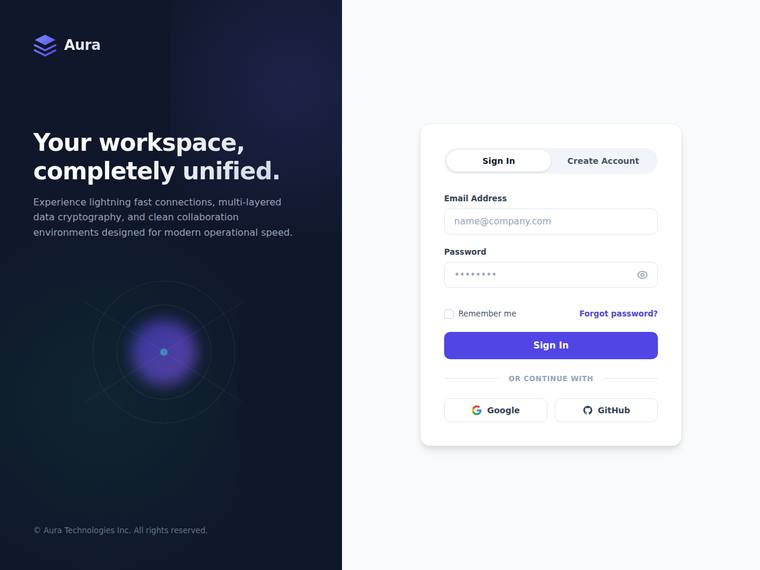
Anthropic: The sign-in view delivers nearly every required element: split-screen with branded dark panel (logo, value line, subtle CSS orb/ring visual), centered auth card with Sign In/Create Account toggle, email/password fields, show/hide toggle, remember-me, forgot-password, primary button, divider, and Google/GitHub social logins. Visual design is excellent - coherent violet palette, confident type hierarchy, balanced spacing, and a tasteful glowing-orb decoration that gives the dark panel depth. Craft is clean with no janky bits; the deduction in fidelity/impact is only because create-account specif
OpenAI: The visible screen strongly covers the split layout, branding panel, decorative visual, sign-in form, password reveal, remember/forgot links, divider, and social buttons, but the screenshot does not demonstrate create-account fields, password strength, validation states, loading state, accessibility behavior, or responsive stacking. The visual design is polished and cohesive with strong spacing, typography, contrast, and a refined card treatment, though the overall concept is premium-but-familiar rather than highly distinctive.
Google: The layout successfully includes the requested split-screen structure, branded panel, and required authentication fields. Visually, it is clean and professional, though standard for modern applications. The execution is solid with generally good spacing and typography.
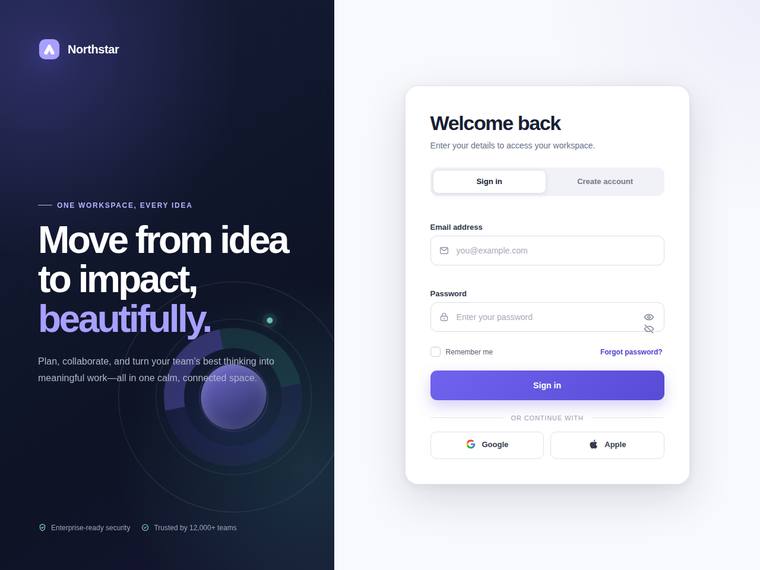
Anthropic: Nearly every brief element is present and correct: split-screen with a branded left panel (Northstar logo, "One workspace, every idea" value line, and a subtle CSS/SVG radial-orbit decorative visual), a centered auth card, a Sign in / Create account toggle, labelled email and password fields, remember-me, forgot-password, a primary Sign in button, an "or continue with" divider, and Google/Apple social buttons. Visual design is strong and coherent: a deep navy-to-purple gradient panel, a confident large hero headline with a purple accent word, and a clean well-spaced white card. The main craft
OpenAI: The visible screen strongly satisfies the split branded panel and sign-in card requirements, including logo, value copy, decorative visual, tabs, email/password fields, remember/forgot links, divider, social buttons, and password visibility control. However, the screenshot does not show create-account fields, password-strength meter, inline validation states, loading state, animation, accessibility behavior, or responsive stacking, so fidelity cannot be scored higher. The composition is polished and modern with strong typography, spacing, and color, though the password toggle area looks slight
Google: The layout features a premium aesthetic with strong typography and clear structure. However, there is a visible craft error where both password visibility icons overlap in the input field. Overall, it satisfies the brief's core requirements effectively.
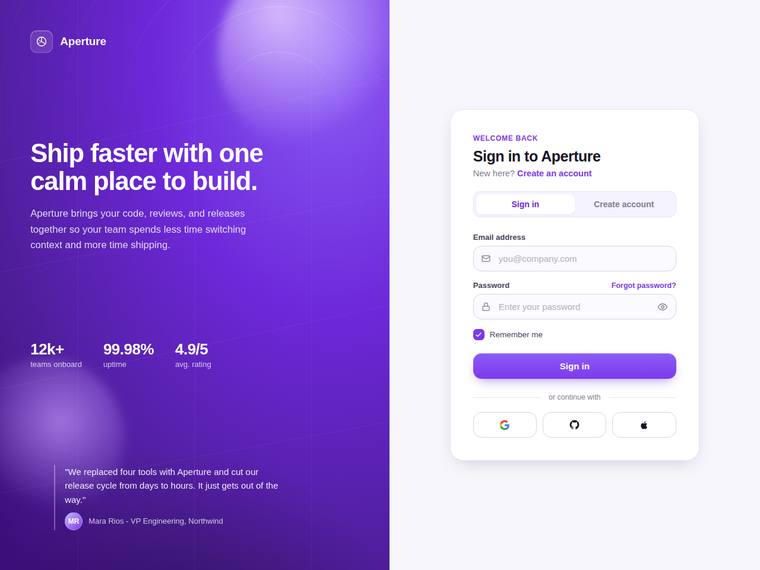
Anthropic: The split-screen is fully realized: a violet gradient brand panel with logo, value line, decorative orbs, a stats grid and testimonial, paired with a clean auth card carrying the Sign in/Create account toggle, email and password fields, show/hide eye, forgot-password, remember-me, an "or continue with" divider and three social buttons. Visual design and craft are excellent - coherent palette, strong type hierarchy, consistent rounded inputs and spacing, no janky bits. Brief fidelity and impact are held just under top marks because the static sign-in view cannot show the create-account-only ele
OpenAI: The visible screen strongly matches the split authentication layout with branding, decorative visual, sign-in card, password toggle, remember/forgot links, social buttons, and a sign-in/create-account switch. However, the screenshot does not visibly demonstrate create-account fields, password-strength meter, inline validation states, submit loading state, animation, or responsive behavior. The UI is polished, balanced, and premium-feeling with consistent spacing, typography, and a distinctive purple brand panel.
Google: The design fulfills the split-screen layout and includes the requested auth components. The visual aesthetic is modern, demonstrating solid overall execution.
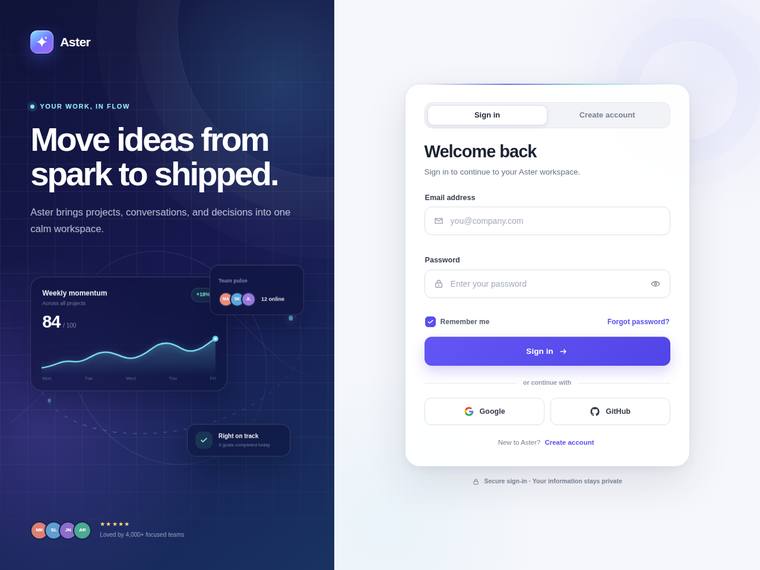
Anthropic: The sign-in state covers nearly all requested elements: split-screen with branded left panel (logo, value line "Move ideas from spark to shipped", and tasteful decorative dashboard/chart visuals), a centered auth card with a Sign in / Create account toggle, email and password fields, show/hide password toggle, remember-me, forgot-password, primary submit, an "or continue with" divider, and Google/GitHub buttons; the create-account-only bits (full name, password-strength meter) and inline validation/loading states aren't visible in this static frame. Visual design is strong and cohesive - a ric
OpenAI: The visible sign-in state includes the split branded panel, polished auth card, fields, password toggle, remember/forgot controls, divider, social buttons, and account toggle. However, the screenshot does not show create-account fields, password-strength meter, validation states, loading state, accessibility evidence, or responsive behavior, so full brief coverage cannot be credited. Visually it is highly refined, cohesive, and premium, with strong spacing, typography, and decorative detail.
Google: The design successfully delivers the split-screen brief with a modern, polished aesthetic. All visible auth elements and branded graphics are well-executed, resulting in a balanced and professional composition.
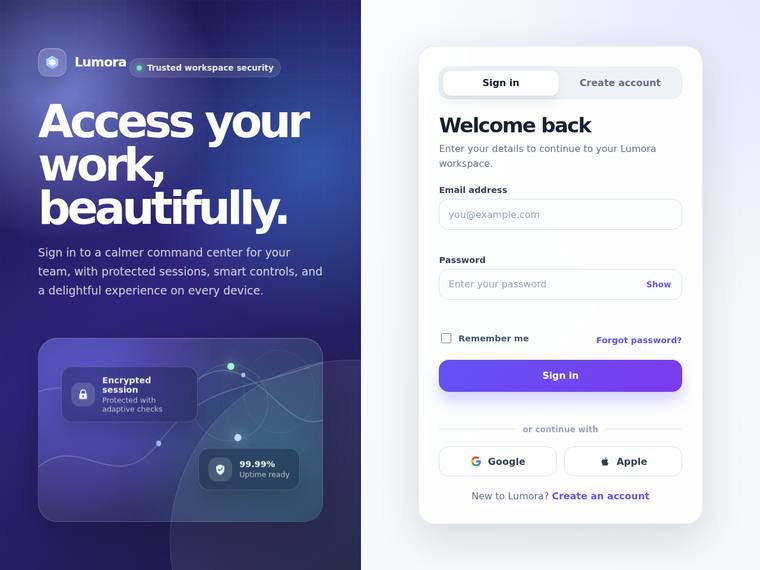
Anthropic: Every brief element is visible in the sign-in state: split-screen with branded panel (logo, value line, CSS/SVG decorative visual with floating stat cards), centered auth card with Sign in/Create account tabs, email + password fields, show/hide toggle, remember-me, forgot-password, primary submit, "or continue with" divider, and Google/Apple social buttons. The deep indigo-to-violet gradient panel pairs cleanly with the crisp white card; type hierarchy, spacing, and the pill tabs are well composed and consistently finished with no broken or misaligned elements. It is a premium, polished result
OpenAI: The visible sign-in state covers the split layout, branding, decorative panel, core fields, password reveal, remember/forgot links, divider, and social buttons, but the screenshot does not show create-account fields, password-strength meter, validation states, loading state, focus/accessibility cues, or responsive behavior. The visual execution is polished and cohesive with strong spacing, hierarchy, gradients, and clean component styling, producing a premium impression with no visible jank.
Google: The layout meets core requirements with a structured split-screen and clear inputs. The aesthetic is modern and generally well-executed. Overall finish is adequate, presenting a standard but professional interface.
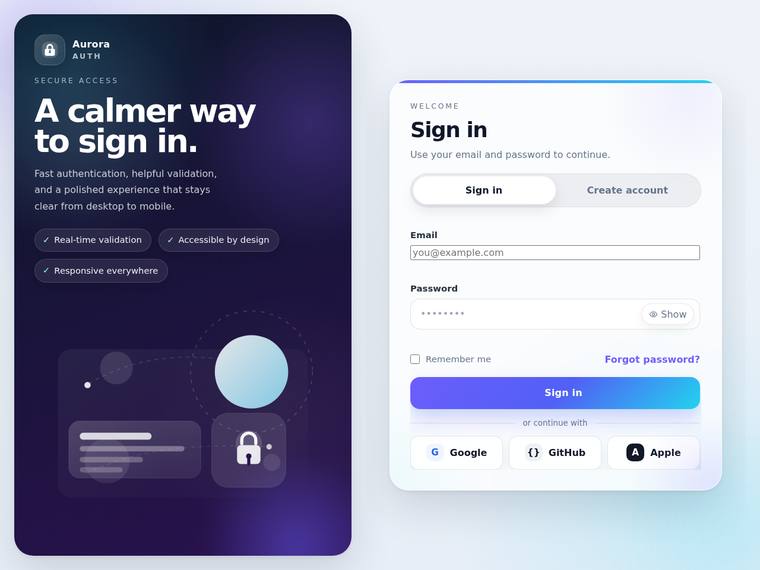
Anthropic: The split-screen is well realized: a dark Aurora-branded panel with logo, value line, feature pills, and CSS/SVG decorative cards plus a lock icon, paired with a clean centered auth card carrying the Sign in / Create account toggle, email/password fields, show toggle, remember-me, forgot-password, submit button, an "or continue with" divider, and three social buttons. Type, spacing, and the violet-to-dark palette are coherent and modern, and the static state reads as finished with no obvious broken bits. It stops short of top marks because the create-account-only elements (full name, password-
OpenAI: The screen strongly matches the split layout with branding, decorative art, auth card, toggle, password reveal, remember/forgot links, divider, and social buttons, but the screenshot does not show validation states, loading state, create-account fields, or password strength. The overall design is polished and premium, though the email input appears inconsistently styled compared with the rest of the card, which slightly hurts craft.
Google: The design successfully implements the split-screen layout with a modern visual aesthetic. Overall layout and typography are solid, despite minor styling inconsistencies between input fields. It provides a generally premium feel.
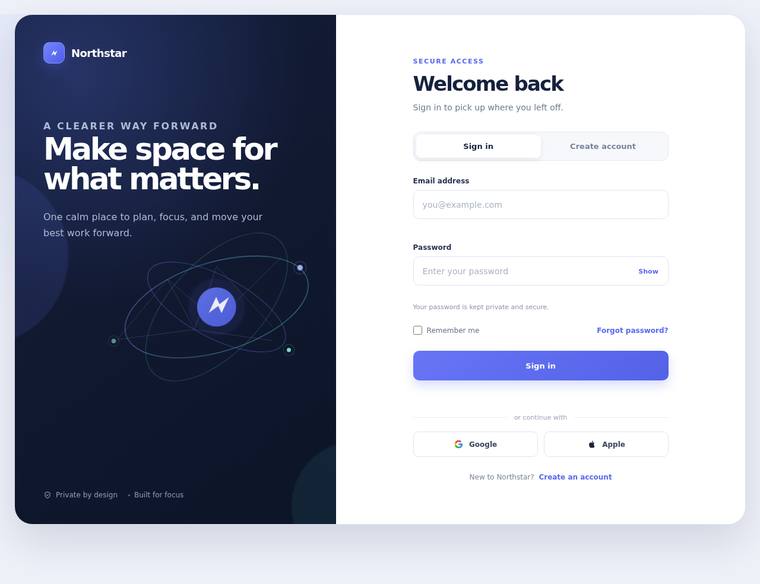
Anthropic: The split-screen layout is fully realised: a dark branded panel with the Northstar logo, a clear value line, and a genuinely nice CSS/SVG orbital decorative visual, paired with a centered auth card. The card shows the Sign in / Create account toggle, labelled email and password fields, a show/hide password toggle, remember-me, forgot-password, an "or continue with" divider and Google/Apple social buttons, so brief coverage is strong (strength meter/full name are correctly hidden in the sign-in state). Typography, spacing and the indigo accent are coherent and modern; the composition is finishe
OpenAI: The visible sign-in state covers the split branded panel, logo/value line, decorative visual, auth tabs, email/password fields, show-password control, remember/forgot links, submit button, and social login options. However the screenshot does not show create-account fields, password-strength meter, validation states, loading state, focus/accessibility affordances, or responsive behavior. The visual execution is polished and modern with strong spacing, typography, and atmosphere, though the result is somewhat familiar rather than truly distinctive.
Google: The build accurately delivers the requested split-screen layout and core authentication components. Visuals are clean and well-structured, though the overall result feels standard rather than highly distinctive. Interactive states cannot be verified from this static view.
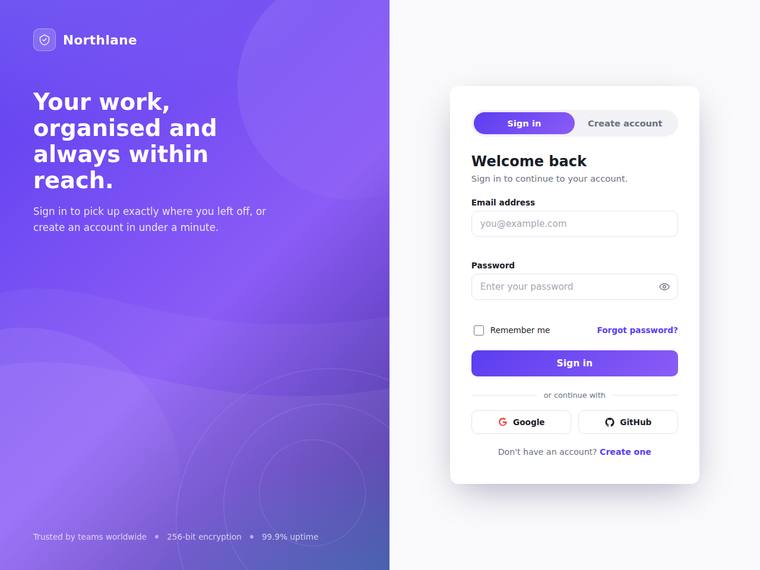
Anthropic: Almost every brief element is visible: split-screen with a branded violet panel (logo, value line, subtle CSS circle decoration, trust strip) and a centered auth card with a working Sign in/Create account toggle, labelled email/password fields, show/hide eye toggle, remember-me, forgot-password, primary submit, an "or continue with" divider and Google/GitHub social buttons. Visual design is coherent and modern with a tasteful gradient, good type hierarchy and clean spacing; craft is finished with consistent rounding, alignment and no broken bits. It is a polished, premium result, though the la
OpenAI: The visible screen strongly matches the requested split authentication layout with branding, decorative visuals, sign-in fields, password reveal, remember/forgot controls, social buttons, and a clear sign-in/create-account toggle. It is visually polished and well-crafted with cohesive spacing, typography, and color, though the screenshot does not demonstrate create-account fields, password strength, validation states, loading state, animation, accessibility, or mobile behavior. The result feels premium, but more distinctive visual character or visible state coverage would raise the impact furt
Google: The layout accurately delivers the requested branded panel and authentication card components with all visible requirements present. The visual design and craft are solid but rely heavily on standard, expected patterns. Overall execution is competent and clean, though it feels slightly generic.
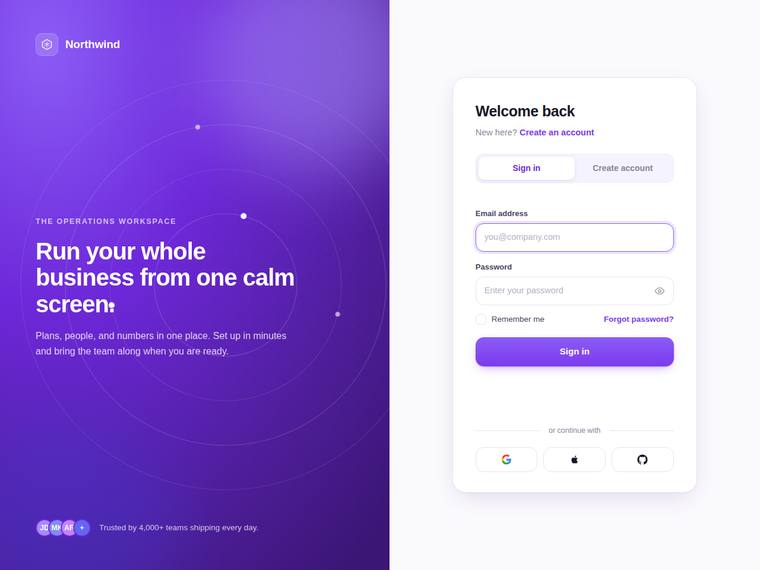
Anthropic: The visible sign-in state covers most of the brief: split-screen with branded violet panel (logo, value line, subtle CSS decorative rings, trust line), centered card, Sign in/Create account toggle, email + password fields, remember-me, forgot-password, primary submit, "or continue with" divider and three social buttons. The composition is genuinely polished - tasteful gradient, generous spacing, clean type hierarchy, and no broken or misaligned bits. It stops short of top marks on fidelity and impact because the password-strength meter, show/hide toggle, and validation states are not evident i
OpenAI: The visible sign-in screen includes the split layout, branding panel, auth card, tabs, email/password fields, password reveal icon, remember/forgot links, divider, and social buttons. However, the screenshot does not show create-account fields, password strength, inline validation states, loading state, animation, accessibility details, or responsive behavior. Visually it is polished and cohesive with strong spacing, typography, and a tasteful purple brand treatment, though the overall concept is still fairly conventional.
Google: The design effectively executes the split-screen brief with a modern and polished aesthetic. Visual hierarchy is strong, utilizing a clean layout and vibrant colors.
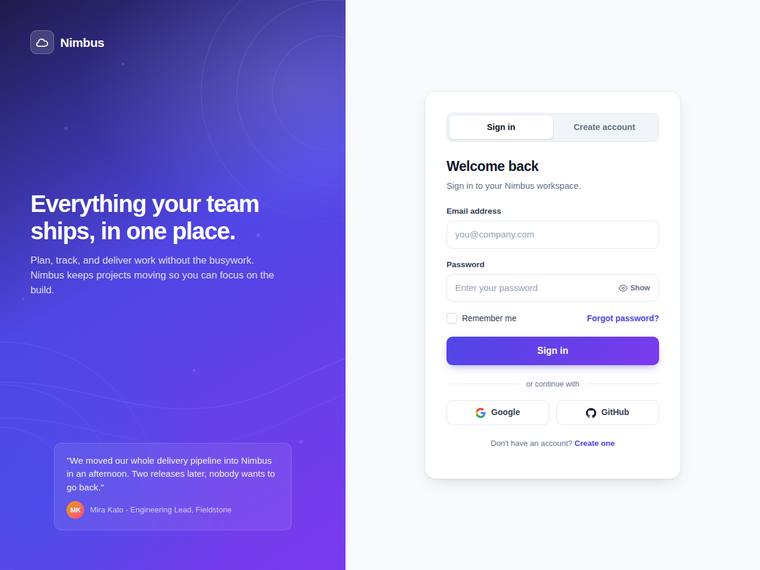
Anthropic: The split-screen layout is fully realised: branded panel with logo, value line, subtle concentric-ring decorative visual and a testimonial, plus a clean centered auth card with the Sign in / Create account toggle, email and password fields, show/hide toggle, remember-me, forgot-password, primary submit, "or continue with" divider and Google/GitHub buttons. Composition is coherent and modern with a tasteful violet gradient, consistent spacing and legible type, and no visibly broken or janky elements. It loses points because several brief items cannot be confirmed in this static sign-in view (fu
OpenAI: The visible sign-in state strongly matches the split-screen brief with branding, decorative CSS-style visuals, tabs, labeled fields, show-password affordance, remember/forgot links, divider, and social buttons. However, the screenshot does not show create-account fields, password-strength meter, inline validation, loading state, focus/accessibility states, animation, or responsive behavior. The execution is polished and cohesive with strong spacing, typography, and color, though the overall concept is familiar rather than highly distinctive.
Google: The build effectively delivers the requested split-screen layout and includes key components like social logins and field toggles. Visuals are clean and balanced, though the overall aesthetic leans slightly generic. Execution is solid with consistent spacing and satisfactory typography.
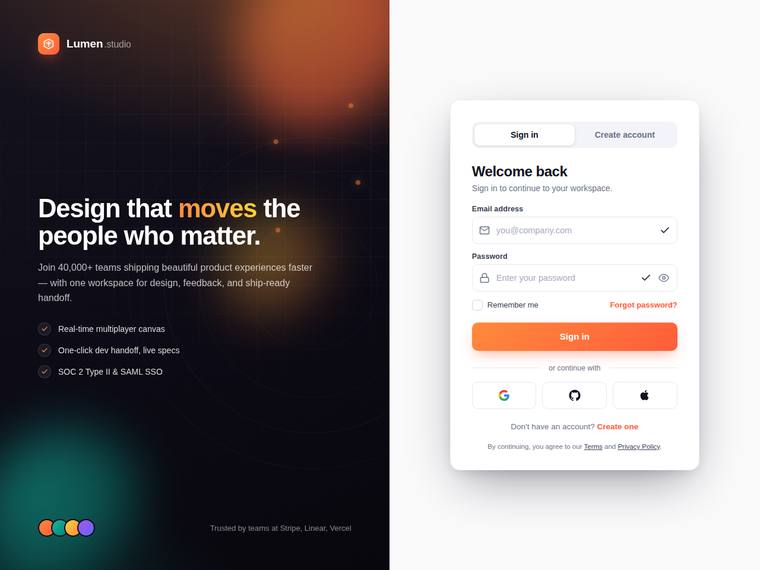
Anthropic: The split-screen layout is well executed: a dark branded panel with logo, value line ("Design that moves the people who matter"), checklist of benefits and a subtle decorative gradient/orb visual sits beside a clean centered auth card. The card shows the Sign in / Create account toggle, email and password fields with a show/hide toggle, remember-me, forgot-password, primary submit, an "or continue with" divider and three social buttons, so most asked-for elements are present and tastefully styled. However, the visible state only renders Sign in, so the create-account-specific elements (full na
OpenAI: The screenshot strongly matches the requested split-screen auth layout with branding, decorative visuals, sign-in card, social login, remember/forgot controls, labels, and password visibility affordance. However, the create-account form details, password-strength meter, error states, loading state, accessibility behavior, and responsive stacking are not visible, so full brief compliance cannot be confirmed. The visual polish, spacing, typography, and finish are excellent, though the overall concept is premium rather than highly distinctive.
Google: The design fulfills the main layout requirements with a clear split-screen and functional auth components. Visual execution is reasonably modern and tidy. It meets the standard without offering highly distinctive qualities.
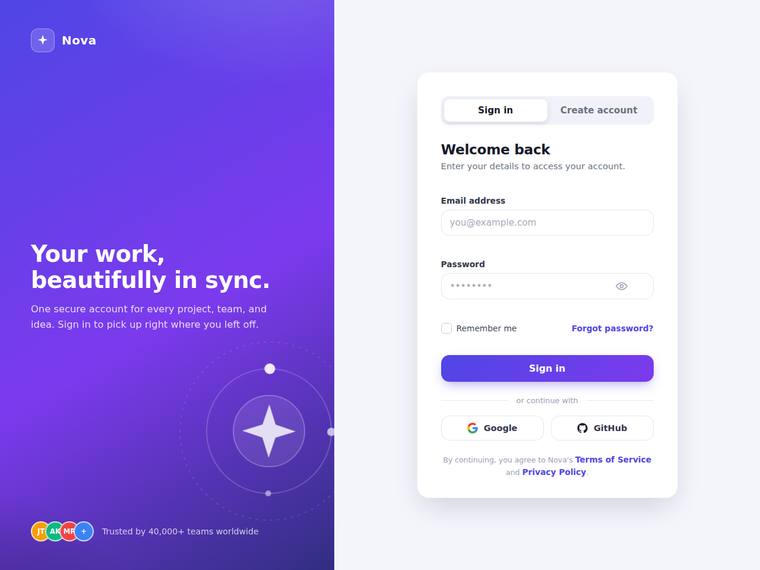
Anthropic: The split-screen brief is well covered in the visible Sign in state: branded left panel with Nova logo, the value line "Your work, beautifully in sync.", and a subtle CSS/SVG orbit-and-star decoration; the right card has the Sign in / Create account toggle, email and password fields, a show/hide eye toggle, remember-me, forgot-password, primary button, an "or continue with" divider, and Google/GitHub social buttons plus a nice avatar-stack social-proof line. Design is coherent and modern - purple gradient, clean type hierarchy, tasteful spacing - and craft looks finished, with only minor oddne
OpenAI: The visible screen nails the split layout, branding panel, sign-in card, password visibility control, remember/forgot links, divider, and social buttons, but the screenshot does not show create-account fields, password strength, validation states, loading state, animation, or responsive behavior. Visually it is polished and cohesive with strong spacing, typography, gradients, and a tasteful decorative motif, though the concept is premium rather than highly novel.
Google: The layout successfully integrates the requested split-screen components and required form fields. While the composition is consistent and cleanly executed, it relies on standard industry patterns rather than highly distinctive visual treatments.
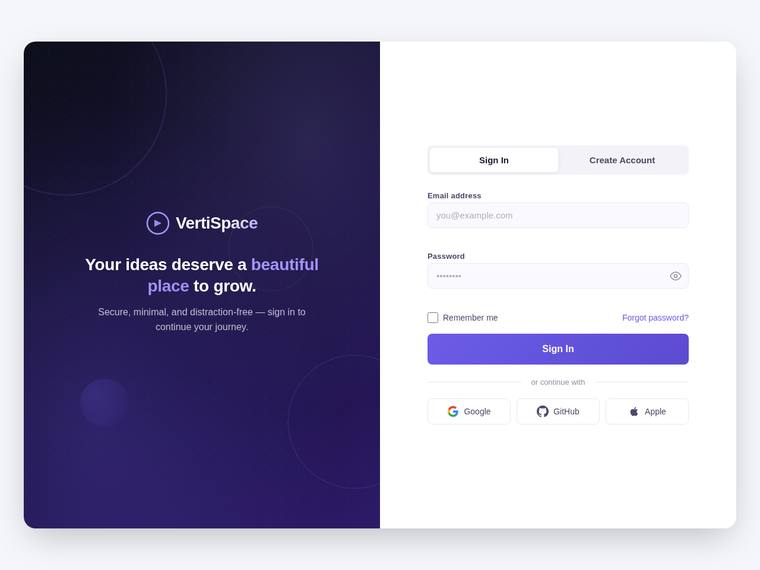
Anthropic: The split-screen layout, branded panel (logo, value line, subtle CSS circle decorations), Sign In/Create Account toggle, email/password fields, show/hide toggle, remember-me, forgot-password, primary button, "or continue with" divider, and three social buttons are all present and correctly placed. Visual design is clean and coherent with a tasteful violet gradient and well-spaced card, though it reads as a fairly conventional auth template rather than a distinctive standout. Craft is solid with consistent alignment and no broken elements; create-account-only items (full name, password-strength
OpenAI: The visible screen nails the split layout, branding panel, sign-in form, password reveal, remember/forgot links, divider, and social buttons, but the screenshot does not show validation states, loading state, create-account fields, password-strength meter, focus/accessibility cues, or responsive behavior. The visual design is polished and modern with strong spacing, typography, and a tasteful decorative brand panel, though the auth area is relatively conventional and the card itself is more implied than distinct.
Google: The interface successfully implements the split-screen layout and essential authentication components requested. The visual styling is clean and professionally constructed, though it relies heavily on standard UI patterns. Execution is solid overall without being overly distinctive.
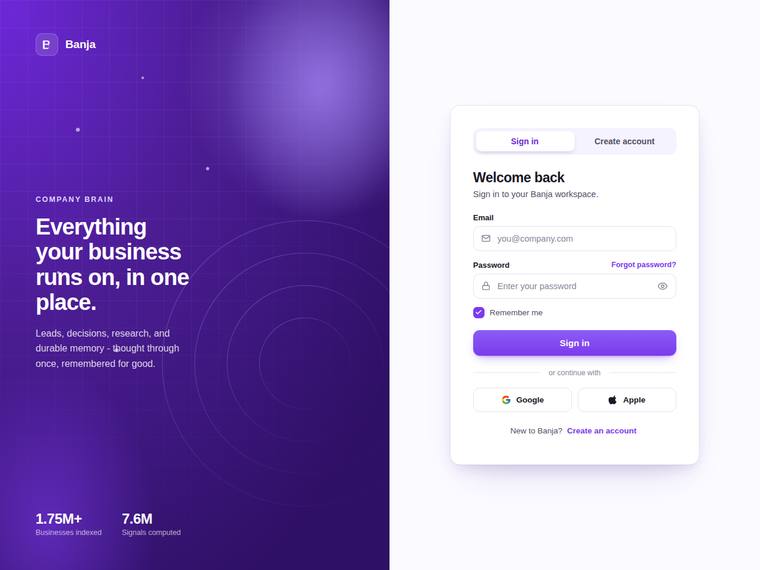
Anthropic: The split-screen layout is delivered cleanly: a branded violet gradient panel with logo, value line, decorative concentric-circle SVG, and stat callouts, beside a centered auth card with Sign in / Create account tabs, email + password fields, show/hide toggle, remember-me, forgot-password, a primary submit, an "or continue with" divider, and Google/Apple social buttons. Visual design is strong - confident gradient, restrained type, balanced spacing, premium feel. Brief fidelity drops slightly because the static screenshot shows only the sign-in state, so the create-account-only elements (full
OpenAI: The screenshot delivers the split branded panel, logo/value messaging, decorative CSS-style visual, centered auth card, sign-in fields, remember/forgot links, password visibility icon, divider, and social buttons. However, the visible state does not show inline validation, error/success states, loading state, create-account fields, or password-strength meter, so several required behaviors/states are unverified. Visually it is polished, modern, and well-spaced with strong color and hierarchy, though the overall concept is clean rather than especially distinctive.
Google: The build successfully implements the requested split-screen layout and core authentication features. The visual aesthetic is cohesive but standard, relying on familiar SaaS patterns. Overall execution is competent, though it lacks distinctiveness.
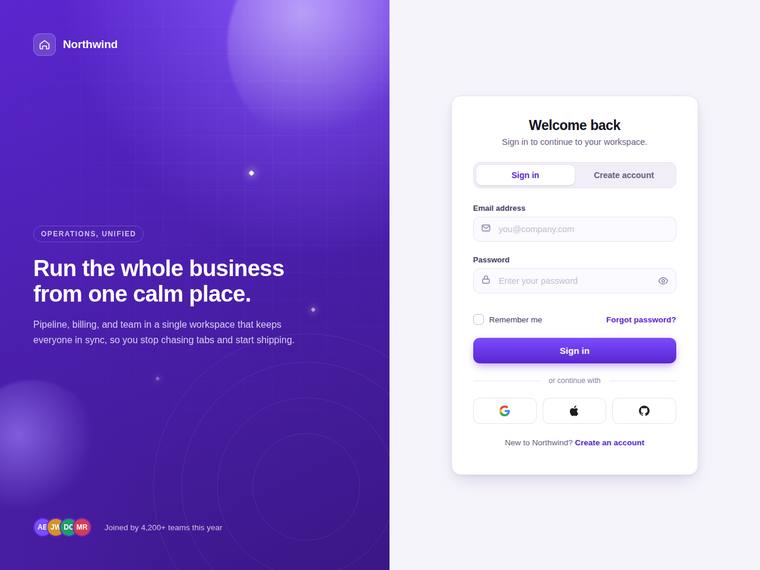
Anthropic: The split-screen is well executed: a branded purple panel with logo, value line, subtle CSS blur-orb decoration and footer, beside a clean centered card with the Sign in / Create account toggle, email + password fields, remember-me, forgot-password, primary button, "or continue with" divider and three social buttons. Type, spacing and the violet palette are coherent and modern, and the toggle is clearly in the Sign in state. It loses points because several brief elements can't be confirmed in this static default state (password-strength meter, show/hide toggle, inline error/success and loading
OpenAI: The visible screen strongly matches the core split-layout brief with branding, decorative visuals, sign-in card, tabs, email/password fields, remember/forgot links, divider, social buttons, and password visibility icon. However, the screenshot does not show inline validation states, loading state, create-account fields or password-strength meter, focus/accessibility states, or responsive behavior, so fidelity cannot be rated higher. The visual execution is polished, cohesive, and premium, though fairly conventional for a modern SaaS auth page.
Google: The split-screen layout successfully incorporates the requested branding and structural authentication components. The modern styling and consistent spacing create a clean, functional interface.
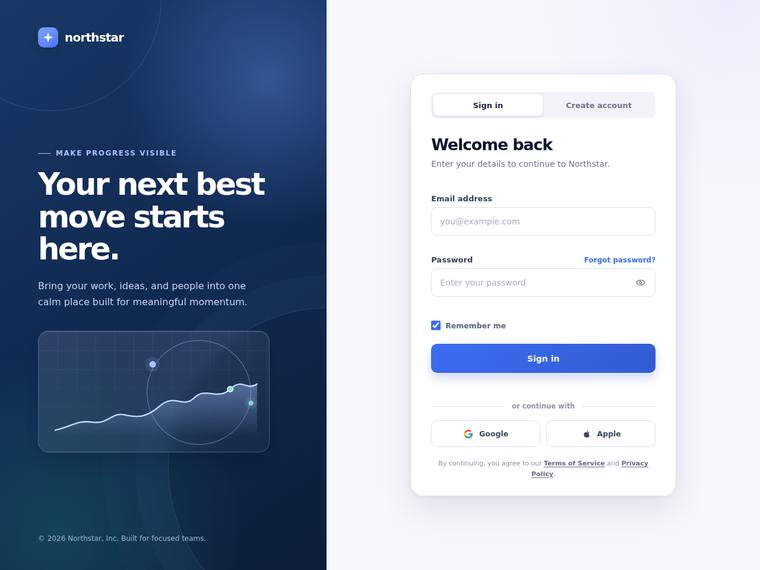
Anthropic: The visible Sign-in view covers most of the brief: split-screen with a branded gradient panel (logo, value line, subtle CSS/SVG chart visual) and a centered card with Sign in / Create account tabs, email and password fields, show/hide toggle, remember-me, forgot-password, primary submit, an "or continue with" divider and Google/Apple buttons. Composition is clean and modern with coherent blue palette, strong type hierarchy and tidy spacing, and no broken or janky details are visible. It loses points because several briefed elements (full-name field, password-strength meter, inline validation e
OpenAI: The visible sign-in screen strongly matches the split layout, branded panel, auth card, show/hide password, remember/forgot links, divider, and social buttons, but the screenshot does not show create-account fields, password-strength meter, inline validation states, loading state, or responsive behavior. The visual execution is polished and cohesive with excellent spacing, typography, color, and decorative detail, with only limited distinctiveness keeping impact just below exceptional.
Google: The design meets the brief with a clean split-screen layout and well-structured authentication card. Visuals are modern and polished, using appropriate typography and spacing. Execution feels premium overall.
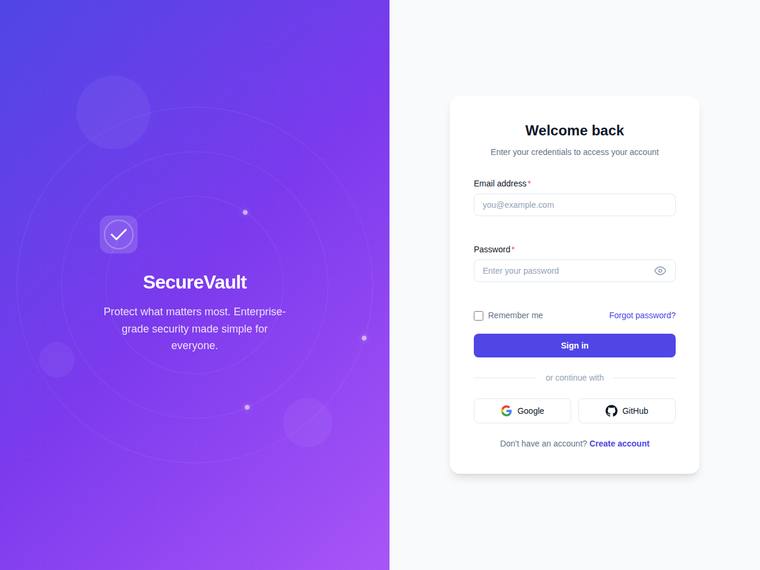
Anthropic: The default sign-in state covers nearly all visible brief elements: split-screen with a violet branded panel (logo badge, SecureVault name, value line, faint concentric-orbit CSS decoration), a clean centered card with required email/password fields, password show/hide toggle, remember-me, forgot-password, primary button, "or continue with" divider, and Google/GitHub social buttons with correct icons. Composition is coherent and modern with tasteful violet gradient, consistent spacing, and no broken bits. It is solid and professional rather than distinctive; the right panel is plain, the decor
OpenAI: The screenshot clearly delivers the split branded panel, centered sign-in card, email/password fields, password visibility icon, remember/forgot links, divider, and social buttons. However, the create-account state, password-strength meter, validation states, loading state, animation, accessibility behavior, and responsive stacking are not visible, so fidelity cannot be scored higher. The visual design is clean and polished with good spacing and a pleasant branded panel, though it feels fairly conventional rather than highly distinctive.
Google: The layout successfully implements the requested split-screen structure and all visible authentication elements. While the overall aesthetic is clean and professional, the design relies on standard patterns rather than standing out. Execution is competent with consistent spacing and typography.
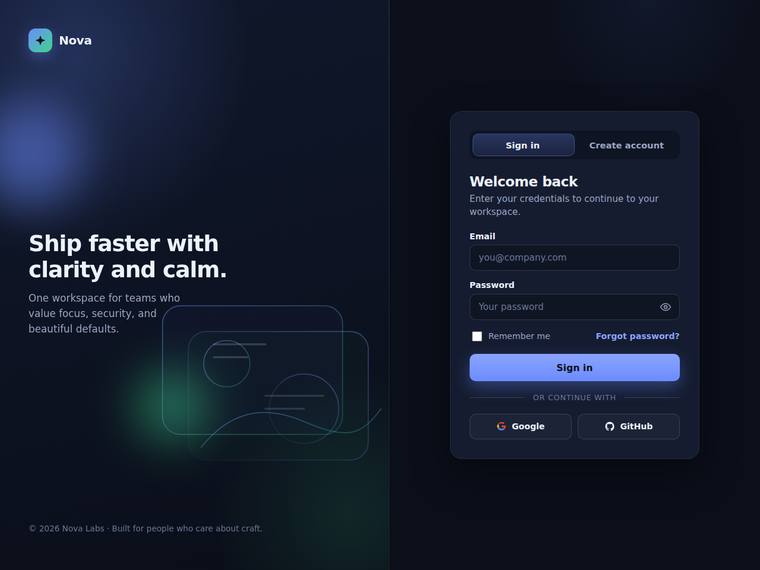
Anthropic: The split-screen layout is fully realized: branded left panel with logo, value headline, supporting line and a subtle CSS/SVG decorative visual with a green glow, and a right-side auth card with the Sign in / Create account toggle, labeled email and password fields, show/hide eye toggle, remember-me, forgot-password, primary button, "or continue with" divider and Google/GitHub buttons. Most brief elements are visible, though the password-strength meter, inline validation and loading states are state-dependent and not shown in this default view. The dark composition is clean, coherent and moder
OpenAI: The visible screen covers the split layout, branding, decorative visual, sign-in card, password toggle, remember/forgot links, divider, and social buttons, but the screenshot does not show validation states, loading state, create-account fields, or the password-strength meter. The design is polished and modern with strong spacing, typography, and a cohesive dark palette, though it is somewhat conventional and a few details like the default checkbox feel less refined.
Google: The design accurately delivers the requested split-layout and core authentication elements. The dark theme is visually cohesive and well-executed overall. It provides a solid, professional appearance without glaring issues.
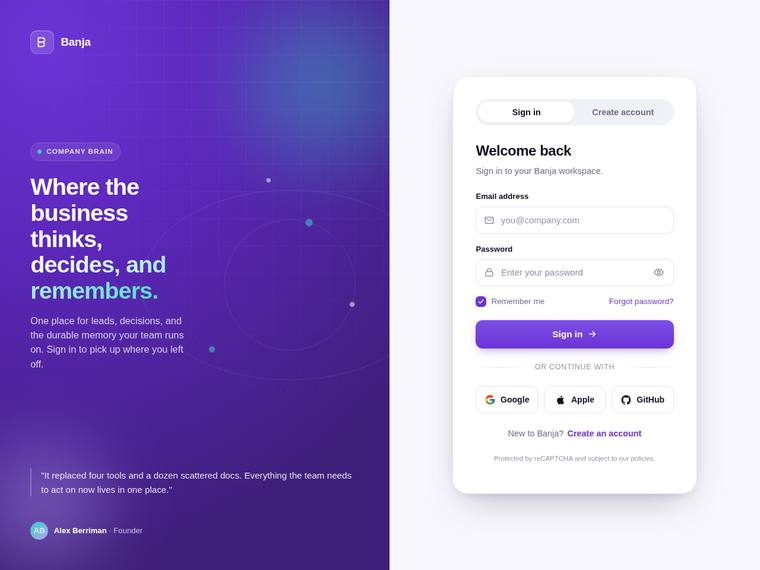
Anthropic: The split-screen is fully realised: branded violet panel (logo, "company brain" tag, value headline, paragraph, subtle dot decoration, testimonial card) beside a centered white auth card with the Sign in / Create account toggle, email + password fields, remember-me + forgot-password, primary submit, "or continue with" divider and Google/Apple/GitHub buttons. Visual design is polished and coherent - tasteful violet gradient, clean type hierarchy, generous spacing, a tidy card with rounded inputs and good contrast. In the visible state I cannot confirm several brief items (password-strength mete
OpenAI: The screenshot delivers a polished split-screen auth layout with branding, decorative visuals, sign-in fields, password visibility control, remember/forgot links, divider, and social buttons. However, visible evidence is missing for create-account fields/password strength, inline validation states, loading state, focus/accessibility states, animation, and mobile responsiveness. The visual execution is very refined and consistent, though the concept is more premium SaaS-polished than truly distinctive.
Google: The design executes a clean split-screen layout with professional typography and solid color choices. It meets the static structural requirements of the brief well. The overall composition feels polished and appropriate for a modern application.
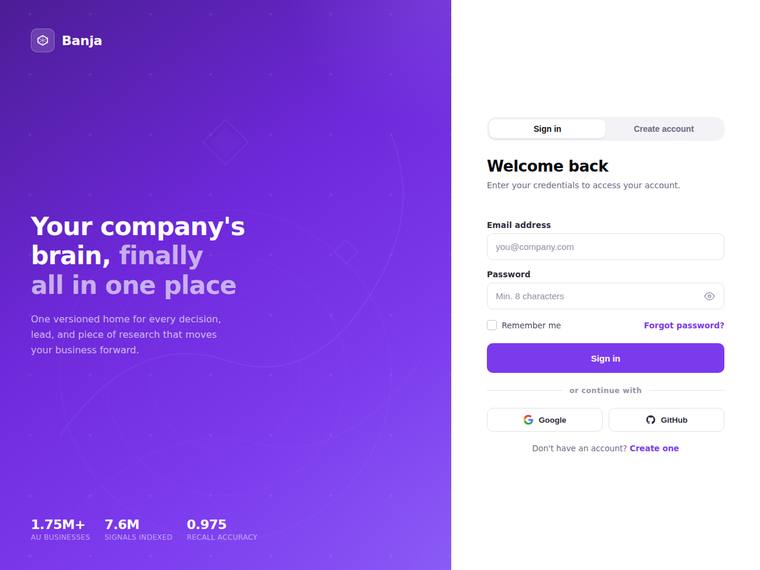
Anthropic: The split-screen layout is delivered well: a violet branded panel with logo, value line, and stat callouts on the left, and a clean centered auth card on the right with Sign in / Create account tabs, email/password fields, show-password icon, remember-me, forgot-password, primary Sign In button, an "or continue with" divider, and Google/GitHub social buttons. Most brief elements are present, though create-account-only items (full name, strength meter, loading/validation states) cannot be confirmed in this static Sign-in view, and the decorative panel visual reads as flat gradient rather than a
OpenAI: The screenshot delivers a polished split-screen sign-in view with branding, decorative visuals, email/password fields, password visibility, remember/forgot links, divider, and social buttons. However, the visible state does not demonstrate create-account fields, password strength, inline validation, loading state, or responsive/accessibility behavior, and the auth area is more of a form column than a distinct card.
Google: The build successfully implements the requested split-screen layout and all essential authentication components. The visual execution is clean and properly aligned, resulting in a cohesive but relatively standard interface.
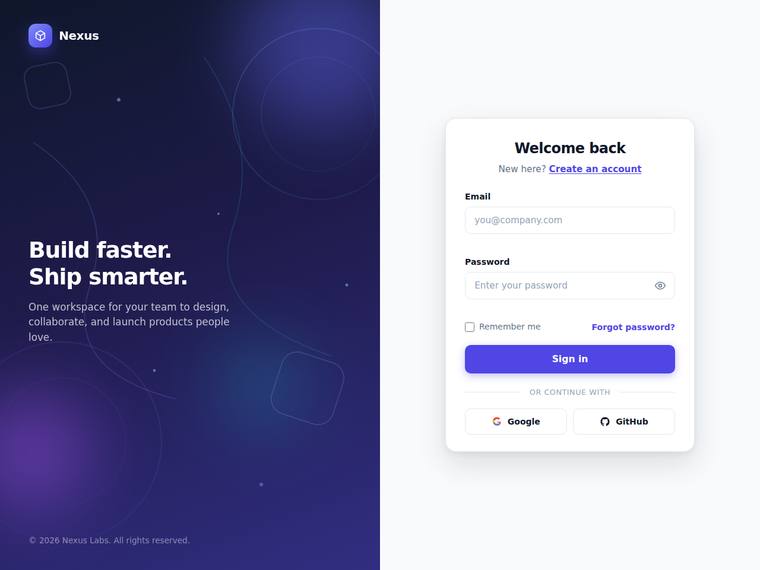
Anthropic: The split layout delivers most of the brief: branded gradient panel with logo, value line, and subtle CSS decorative shapes, plus a clean auth card with email/password fields, show/hide toggle, remember-me, forgot-password, a primary Sign in button, an "OR CONTINUE WITH" divider, Google/GitHub buttons, and a Create account toggle link. Interactive-only states (full name field, password-strength meter, inline validation, loading state) aren't visible in this static sign-in view, which is expected but leaves fidelity slightly short. Design is coherent and modern with tasteful indigo accents and
OpenAI: The screenshot delivers a polished split-screen sign-in view with branding, decorative visuals, labeled fields, password reveal icon, remember/forgot links, divider, and social buttons. However, the visible state does not demonstrate create-account fields, password-strength meter, inline validation, loading state, animation, or responsive behavior, so several brief requirements cannot be confirmed. The visual execution is clean, modern, and well-spaced, though not especially distinctive beyond a familiar premium SaaS auth layout.
Google: The build fulfills the split-screen brief with a clean, modern aesthetic and solid layout. While highly polished and professional, the overall design feels standard for SaaS and lacks distinctive impact.
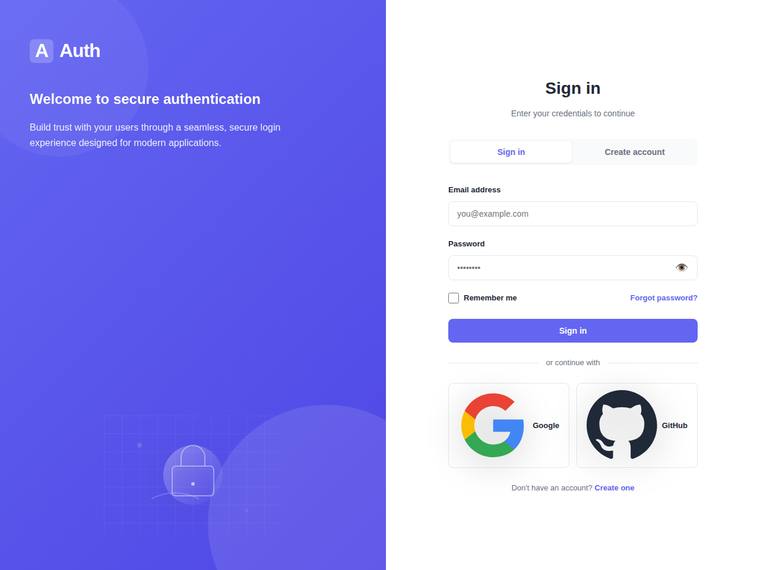
Anthropic: The split-screen layout is delivered cleanly: branded violet panel with logo, value line, and a subtle CSS/SVG lock-and-grid decoration, paired with a centered auth card carrying a Sign in/Create account toggle, email and password fields, show/hide toggle, remember-me, forgot-password, an "or continue with" divider, and Google/GitHub social buttons. Visually it is coherent and modern with a tasteful gradient, even spacing, and consistent type, and craft is solid with no obvious broken elements. Brief fidelity is only mid because the static screenshot shows none of the create-account-only requi
OpenAI: The screenshot includes the split branded panel, auth form, sign-in/create toggle, password visibility icon, remember/forgot links, divider, and social buttons, but visible evidence is missing for inline validation states, loading state, create-account fields/password-strength meter, animation, and the auth card is not strongly framed as a card. The design is clean, modern, and well spaced with a pleasant branded illustration, though it feels fairly generic and not especially premium or distinctive.
Google: The design delivers the requested split-screen layout with a clean branded panel and functional inputs. Visuals are competent but standard, featuring slightly disproportionate social buttons. Execution is professional without being highly distinctive.
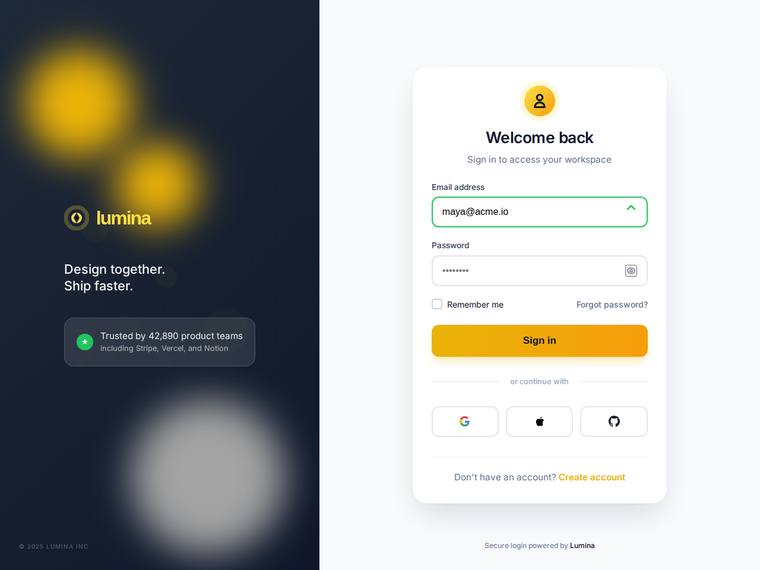
Anthropic: The sign-in state covers most of the brief: split-screen with branded panel (logo, value line, trust badge, CSS glow visual), a centered card with email/password, show/hide toggle, remember-me, forgot-password, a primary button, an "or continue with" divider, three social buttons, and a create-account link; the email field even shows a green success state. Visual design is coherent and modern with a clean amber-on-dark palette and tidy card composition. Craft is held back by the decorative blobs reading as oversized, blurry, and slightly unfinished (notably the grey blob bleeding off the botto
OpenAI: The visible sign-in screen covers the split layout, branding, auth card, password toggle, remember/forgot links, divider, and social buttons, but the create-account state, password-strength meter, loading state, animation, and clear inline validation messages are not visible. The design is polished, modern, and well-spaced with a strong branded side panel, though it is somewhat conventional and a few details like the green field icon feel slightly unclear.
Google: The design accurately reflects the brief with a clear split-screen layout, required fields, and visible validation states. The visual execution is clean and professional, demonstrating consistent spacing and alignment throughout. Overall impact is solid but remains somewhat conventional.
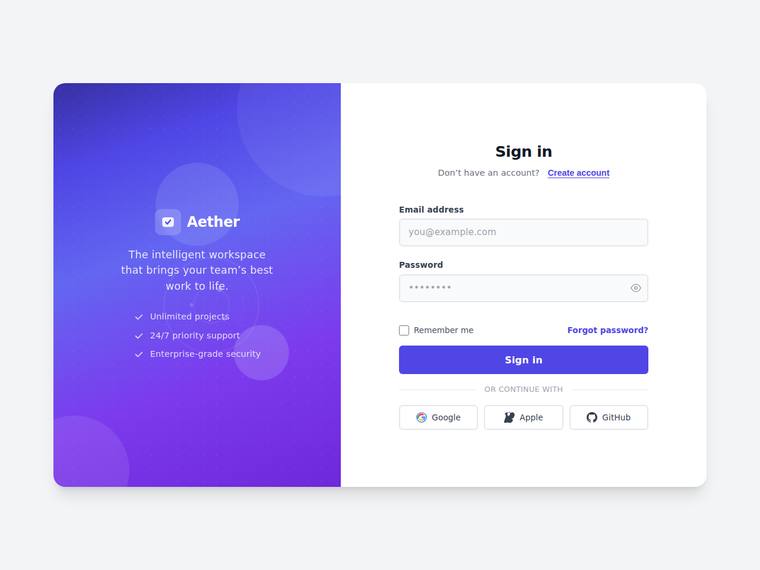
Anthropic: The split-screen is well executed: a violet gradient brand panel with logo, value line, feature checklist and subtle CSS circles, paired with a clean sign-in card carrying email/password, show-hide toggle, remember-me, forgot-password, primary button, an "or continue with" divider and three social buttons, plus the toggle to create an account. Type, spacing and colour are coherent and modern with no broken or janky elements visible. It loses ground because the static view shows only the sign-in state (no full-name field, password-strength meter, validation, or loading state visible) and the re
OpenAI: The visible sign-in screen includes the split branding panel, logo/value copy, email/password fields, show-password icon, remember/forgot links, primary CTA, divider, and social buttons, but the create-account state, strength meter, inline validation, loading state, animation, accessibility, and responsive behavior are not demonstrated in the screenshot. Visually it is polished and modern with strong spacing, typography, and a tasteful purple brand panel, though the overall concept is clean rather than especially distinctive.
Google: The layout successfully delivers the requested split-screen design with standard UI patterns. While most static elements are visible and cleanly executed, the overall result lacks distinctiveness. Dynamic states cannot be verified from a single screenshot.
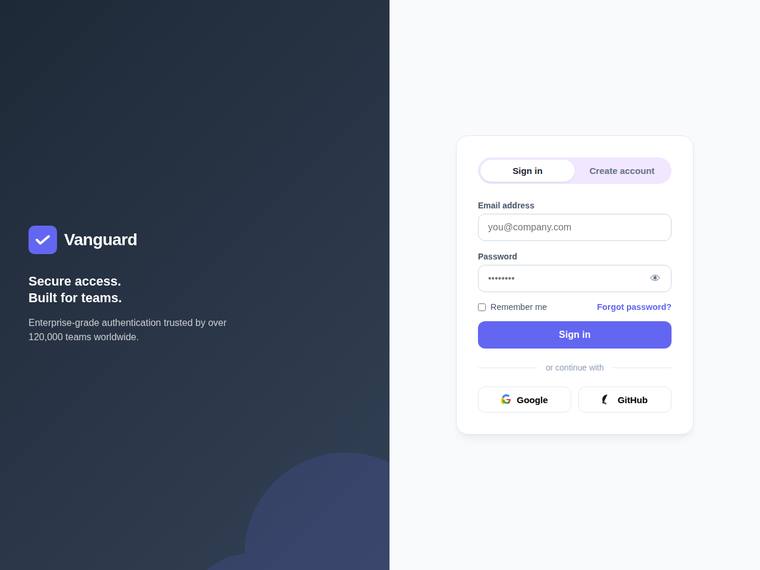
Anthropic: The split-screen is clean and on-brief: dark branded panel with logo, value line, supporting copy and a subtle CSS circle, plus a well-structured auth card with the sign-in/create-account toggle, email and password fields, show/hide eye, remember-me, forgot-password, primary button, "or continue with" divider and Google/GitHub buttons. Type, spacing and the violet accent are coherent and modern with no broken or misaligned bits visible. It loses points because the static sign-in view cannot show the create-account extras (full name, strength meter), validation/loading states or animation, and
OpenAI: The visible sign-in screen covers the split layout, branding panel, auth card, toggle, email/password fields, show-password icon, remember/forgot links, divider, and social buttons, but validation states, loading state, create-account fields/strength meter, animation, accessibility, and responsiveness are not demonstrated in the screenshot. The design is clean, balanced, and polished with consistent spacing and color, though the visual language is fairly conventional and not especially distinctive.
Google: The design provides a clean split-screen layout that meets the core structural requirements. While functional and neatly aligned, the visual execution remains fairly standard without distinctive flair.
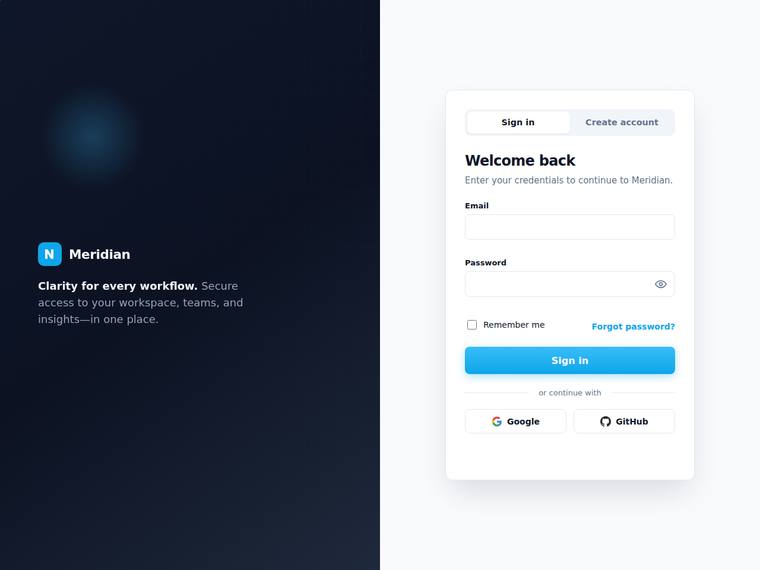
Anthropic: The static view covers most of the brief: split-screen with branded dark panel (logo, value line, subtle radial-glow visual) and a centered auth card carrying the Sign in / Create account toggle, email + password fields, show/hide toggle, remember-me, forgot-password, primary button, "or continue with" divider, and Google/GitHub buttons. Create-account-only elements (full name, password-strength meter), validation states, and loading state aren't observable in this default frame. Visuals are clean and modern with tasteful blue accents and good spacing, but the result is competent and conventio
OpenAI: The screenshot covers the core sign-in layout well: split branding panel, centered card, tabs, email/password fields, show/hide icon, remember/forgot, primary CTA, divider, and social buttons. However, the create-account form, password-strength meter, inline validation states, loading state, animation, accessibility, and mobile responsiveness are not visible, and the decorative branded visual is very minimal. The visual execution is clean and polished, though fairly conventional and not especially distinctive.
Google: The split-screen layout effectively incorporates all required authentication elements. Visuals are clean and consistent, though somewhat generic. Execution is solid overall but lacks a distinctive premium feel.
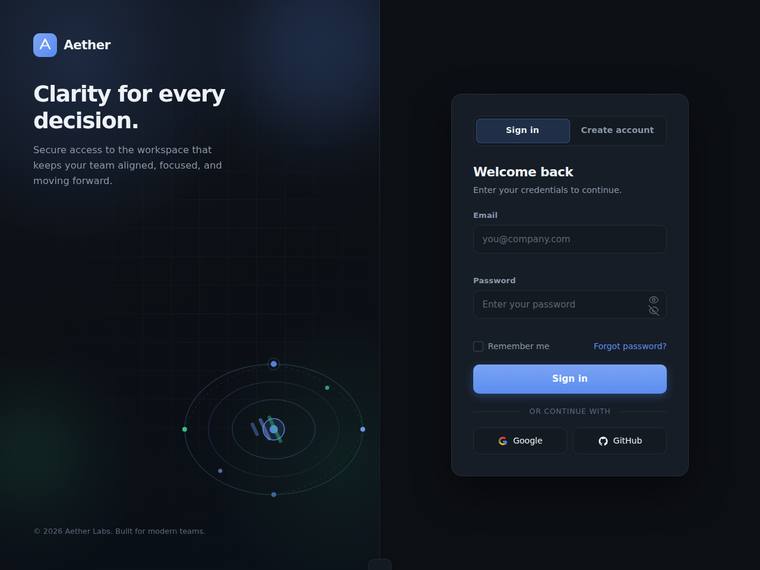
Anthropic: The split-screen delivers most of the brief: branded left panel with logo, value line and a CSS/SVG orbital decoration, plus a right-hand card with Sign in/Create account toggle, email, password, remember-me, forgot-password, submit, an "OR CONTINUE WITH" divider and Google/GitHub buttons. The dark palette, type and card composition are coherent and modern, but the left panel reads half-empty and the orbital visual is small and muddy. Craft is dented by a visible glitch: the show/hide toggle renders two overlapping eye icons at once, plus a stray cut-off element at the bottom center; validatio
OpenAI: The screenshot nails the split layout, branding, auth card, sign-in fields, remember/forgot links, divider, social buttons, and decorative visual with a polished dark aesthetic. However, the visible state does not demonstrate create-account fields, password-strength meter, inline validation, success/error states, loading state, or responsive behavior, and the password visibility control appears slightly janky with overlapping icons. Overall it feels premium and cohesive, but not fully evidenced against the complete brief.
Google: The design satisfies core requirements with an adequate dark-mode aesthetic. Visible craft errors, such as overlapping icons in the password field, detract from the finish. The layout functions well but lacks distinctiveness.
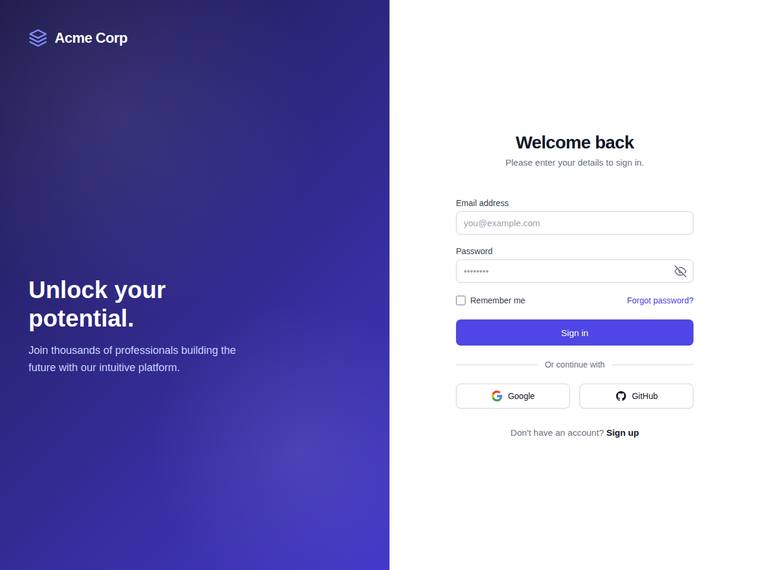
Anthropic: The Sign in state covers most asked elements: split-screen with branded panel (logo, value line, gradient decoration), centered card, email/password fields, show/hide toggle, remember-me, forgot-password, primary submit, "or continue with" divider, Google/GitHub social buttons, and a sign-up link. But several brief items aren't visible in this static shot: no create-account fields (full name, password-strength meter), no visible inline validation error/success states, no loading state, and no focus styles. Visually it's clean and coherent with a tasteful violet gradient, good type hierarchy, a
OpenAI: The split layout, branding, sign-in form, password visibility icon, remember/forgot row, divider, social buttons, and sign-up toggle link are present, but the screenshot does not show the create-account state, validation states, loading state, password-strength meter, or much of a decorative CSS/SVG visual. The design is clean and usable with good spacing and a polished purple palette, though the right side lacks a distinct auth card and the overall result feels fairly generic rather than premium or distinctive.
Google: The layout provides the requested elements, though the branded panel lacks the specified decorative visual. The overall execution is cleanly composed but feels generic rather than premium.
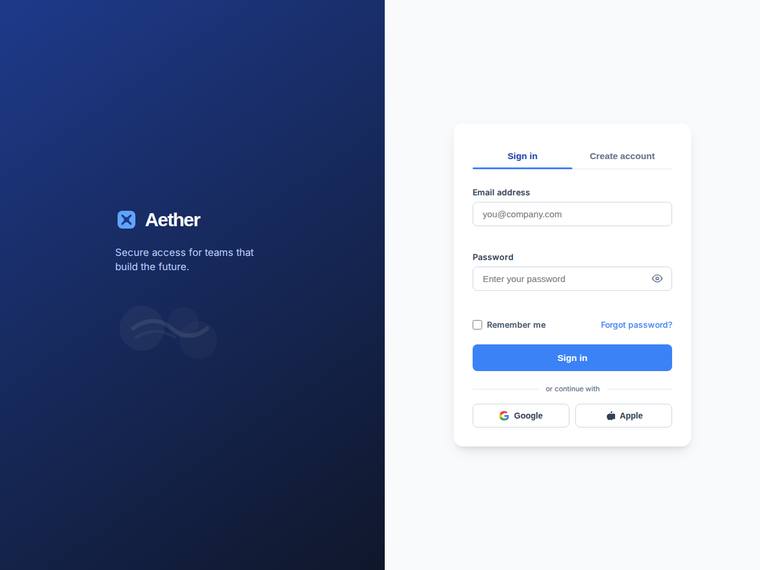
Anthropic: The split-screen layout is fully realized: a dark blue gradient brand panel with the Aether logo, value line, and a subtle CSS/SVG decorative wisp, paired with a clean centered auth card showing Sign in / Create account tabs, labeled email and password fields, show/hide toggle, remember-me, forgot-password, primary button, an "or continue with" divider, and Google/Apple buttons. Spacing, type hierarchy, and the blue accent are coherent and tasteful with consistent finish and no visible jank. It reads as a solid, professional auth screen rather than a standout; the decorative visual is very fai
OpenAI: The screen includes the split layout, branded panel, sign-in card, password visibility icon, remember/forgot links, divider, and social buttons, but visible evidence of create-account fields, validation states, loading state, animation, accessibility, and responsiveness is missing. The visual design is clean, modern, and well-spaced with a coherent blue palette, though it feels fairly conventional. Overall craft is solid with no obvious broken elements, but the result is more polished-standard than distinctive or premium.
Google: The layout fulfills the visual requirements with a clean split-screen design. Visuals are professional but somewhat generic. Execution is solid, though it lacks strong distinctiveness.
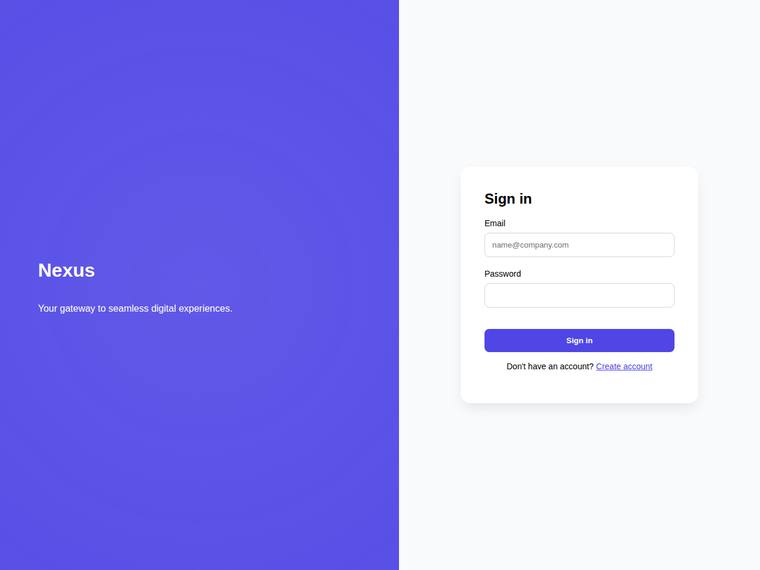
Anthropic: The split-screen layout, branded panel (Nexus logo + value line), and a minimal sign-in card with email/password and a create-account link are present, but most of the brief is missing from view: no "or continue with" divider or social buttons, no remember-me/forgot-password, no show/hide password toggle, and only a barely-visible radial gradient rather than a real decorative SVG. Visually it is clean and the purple accent is coherent, but the card is sparse and undersized with a lot of empty white space, the right panel feels unbalanced, and there is no inline validation or strength-meter sho
OpenAI: The screenshot includes a basic split layout with branding, value line, and a sign-in card with email/password fields and a create-account link, but many required elements are not visible: decorative visual, validation states, password visibility toggle, loading state, divider/social login, remember/forgot controls, and create-account-specific fields/strength meter. The design is clean and usable but very plain, with large empty areas and little premium polish or distinctive detail.
Google: The layout meets basic requirements but omits key features like social logins, remember-me options, and decorative visuals. The overall aesthetic is generic, lacking the premium finish requested.